DicoFlow RIMS · Radiology
From scanner to signed report — every minute timed
The order reaches the scanner, images are matched to the right patient on arrival, radiologists read and report side by side, and the e-signed report goes out — with a live timer on every stage and an owner for every delay.
The radiology workflow
Nine steps from
front desk to dispatch
Registration, scanning, matching, QC, reading, reporting, sign-off and dispatch run in one application — every step visible, timed and owned.
- STEP 01
Register & bill
One registration screen: patient, combined lab + radiology order, payment, GST invoice and token slip.
- STEP 02
Modality Worklist to scanner
The billed order appears on the scanner’s worklist — the technician picks the patient instead of retyping them.
- STEP 03
Scan
Live wait and scan stopwatches on the technician board; image and series counters tick up as DICOM arrives.
- STEP 04
Auto-match & ingest
A 5-level matching ladder files images against the right order. Anything unmatched goes to the orphan resolver.
- STEP 05
Technician QC & finalize
Keep or archive each series or image, check any demographic-mismatch alert, then finalize to the reading pool.
- STEP 06
Read
Radiologists claim from a shared pool — atomic, so two can never take the same case — with up to 10 priors.
- STEP 07
Report & dictate
A sectioned editor with 136 built-in templates, a microphone on every section and a typist workflow.
- STEP 08
Verify & e-sign
E-signature with legal attestation verifies the report; a co-sign queue adds dual authorisation where needed.
- STEP 09
Dispatch & share
A patient booklet is built on sign-off; share by WhatsApp, SMS, email or a secure link.
Acquisition
The scanner already knows who is on the table
With DICOM Modality Worklist, the order billed at the front desk appears at the scanner console — names and IDs are not typed twice. From there, the technician board follows every study live, from queue to finalized.
- 4-lane technician board — In Queue → Waiting for Scan → Review → Finalized, with live wait and scan stopwatches.
- Auto-advance to Review 12 s after images stop arriving, with live image and series counters.
- 5-level auto-match ladder files images to the right order; the orphan resolver handles the rest — no duplicate patients.
- Demographic-mismatch alert when the DICOM header disagrees with the billing record.
- Image QC — keep or archive per series or image; late images reopen the study.
Rohan G. · CT Brain (plain)
RAD-261005-0122
Wait
6m 12s
In scan
4m 40s
Images
324
Moves to Review automatically 12 s after images stop arriving
Auto-matched to the order
5-level matching ladder · bound to the registered patient
Demographic mismatch
Date of birth in the DICOM header differs from the billing record — check before finalize.
Image QC · 3 series
- KeepArchive
Localizer
2 images
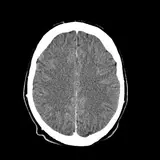 KeepArchive
Axial 5.0 mm
34 images
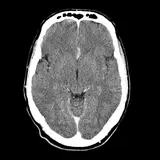 KeepArchive
Axial 0.625 mm · thin
288 images
Reading
One shared pool. No case read twice.
Finalized studies land in a shared reading pool. Claiming is atomic — two radiologists can never grab the same case — and STAT and Urgent studies stay pinned above everything else.
- Reading Queue → In Review → Finalized, with a live TAT badge on every case
- Study-aging heat tiles show what has waited longest
- Up to 10 priors for comparison
- Read and report side by side — the report editor sits next to the browser viewer
Reporting
One editor from first draft to signed report
Clinical History, Technique, Findings, Impression and Recommendations — each section with its own toolbar and microphone, 136 built-in templates to start from, and a print preview that matches the paper.
Template library
- MR39
- CT32
- US31
- CR14
- 7 more types20
Each template opens in the sectioned editor — Clinical History, Technique, Findings, Impression and Recommendations.
Structured lexicons
In the viewer, rule-based decision support adds a CAD-RADS coronary workspace, ASPECTS in the neuro suite and a TI-RADS measurement service.
Variables, macros & conditions
Template variables, reusable macros and sections that appear only when they apply.
Autosave every 30 s
Drafts save themselves, and edit locks stop two people overwriting one report.
Typist workflow
Reports are auto-assigned to typists round-robin, with a real-time notification.
Co-sign queue
Dual authorisation when a second radiologist must sign before release.
E-signature with attestation
A report cannot be verified without the radiologist’s e-signature and legal attestation.
Versioned amendments
Amend a signed report as a new version — the original is preserved.
Paper-accurate preview
A3, A4, A5, Letter or Legal, with signature block and barcode exactly as printed.
Pre-printed letterhead mode
Print onto the stationery your centre already uses.
Voice dictation
Speak the findings. Punctuation included.
Every report section has its own microphone. Say “comma” or “full stop” and the punctuation is typed; common mis-hearings of medical words in Indian-English speech are corrected before the text lands.
- Three engines, in order — Azure Speech if your centre configures it, Whisper if installed, otherwise the browser’s own speech recognition, which is the default.
- Medical corrections — “nod yule” becomes nodule, “kid knee” becomes kidney, “m r i” becomes MRI.
- Spoken punctuation — comma, full stop, new line, new paragraph, brackets.
- Nothing is lost — drafts autosave every 30 s while you dictate.
Findings · Listening…
Mic on every report section
Heard
“small nod yule comma no calcifi cation full stop”
Written into Findings
Left kidney shows a small nodule, no calcification.
Engine cascade
1Azure Speech
used if configured
2Whisper
used if installed
Browser speech
the default
Safety & compliance
Critical findings get closed. Form F comes first.
Two places where a radiology centre cannot rely on memory — so DicoFlow RIMS enforces the process and records every step.
Critical findings
Flagged, notified, acknowledged, closed
Every critical finding moves through four recorded steps. If it is not acknowledged within 30 minutes it escalates automatically — the check runs every 5 minutes. With an SMS or email gateway configured, the referring doctor is messaged too.
Flag
Radiologist marks the finding
Notify
Referring doctor informed
Acknowledge
With read-back
Close
Loop closed on record
Patient A · CT Head with contrast
Notified 31 min ago · not acknowledged
EscalatedPC-PNDT · Form F
No Form F, no obstetric scan
The check fails closed at three points in the technician workflow. Nothing moves forward without a completed Form F, the Form F register keeps the record, and every block is written to the audit trail.
Patient B · USG Obstetric
RAD-261005-0131
Form F required — scan blocked
- 01Start acquisition Blocked
- 02Move to Scan Blocked
- 03Finalize Blocked
Facility registrations, with expiry dates tracked
Keep the centre’s NABH, NABL, AERB, PC-PNDT and Clinical Establishment Act registrations in one place, with every expiry date in view.
NABH
Expires 14 Aug 2027
ValidNABL
Expires 02 Feb 2027
ValidAERB
Expires 15 Nov 2026
Due in 41 daysPC-PNDT
Expires 30 Jun 2028
ValidClinical Establishment Act
Expires 11 Jan 2028
Valid
Teleradiology
Remote reading with routing, SLAs and a way back
Send studies to a remote roster when your own radiologists are busy or off shift. A command centre tracks every case against its SLA, and the signed report comes home on its own.
- Smart auto-routing scores 7 factors — specialty, modality, workload, accuracy, SLA, shift and timezone
- Failover chains line up who reads next
- The DicoTele cloud bridge carries the study out and brings the signed report back automatically
- Available as an add-on
Auto-routing · CT Brain (plain)
RAD-261005-0122
Scored on 7 factors
- M
Dr. M.
Neuroradiology · on shift
94Assigned - K
Dr. K.
Neuroradiology · 6 open cases
86Failover 1 - S
Dr. S.
General · off-shift timezone
71Failover 2
Sent via DicoTele cloud bridge
10:41
Signed report returned automatically
11:02
Command centre
Cases, a remote roster with licence tracking, analytics and messaging — in one place.
SLA tiers
Each tier is set across 4 priorities, and every case is tracked against its tier.
RADPEER-style peer review
Teleradiology cases can be peer-reviewed on a 1–4 scale.
Turnaround
Five stages, five owners — every minute accounted for
Radiology TAT is measured in five stages, each owned by a role. When a case runs late, the TAT Command Center shows where it stalled and who was holding it.
- 1
Registration
Front desk
- 2
Acquisition
Technician
- 3
Reading
Radiologist
- 4
Typing
Report typist
- 5
Dispatch
Report dispatcher
- Average, median, P90 and % within target — live
- Pipeline rails, heatmaps and a delay Pareto
- Per-user accountability and a personal “My TAT” view
- Admin-set targets by service, stage and priority
- TAT matrix export to CSV
- 13 lifecycle stages tracked per study
TAT Command Center — filtered to radiology; the same view covers the lab
Dispatch & sharing
Signed, sent — and honest about delivery
On sign-off, a patient booklet is generated automatically and the report goes out from one dispatch counter shared with the lab. DicoFlow connects to your WhatsApp, SMS and email provider, and shows what was actually delivered — not just what was attempted.
- Automatic “report ready” message to the patient.
- Secure share links — expiry from 1 to 8,760 hours, password, view limit, IP whitelist, QR code and consent check. The recipient needs no login and can download the PDF.
- Referring Physician Portal — a separate login with only their referred patients and only signed reports; every view audited.
Secure share link
Patient A · CT Head with contrast · signed report
- Expires after
- 72 h
- Password
- ••••••
- View limit
- 5 views
- IP whitelist
- 1 range
Consent check passed · recipient needs no login
Scan to open
PDF download
“Report ready” — delivery status
- Delivered
WhatsApp
+91 98••• ••210
- Sent
Email
r••••@gmail.com
- Failed — not marked sent
SMS
+91 98••• ••210
Patient booklet, built on sign‑off
Branded cover, the signed report with a Code128 barcode, image grid pages and a back page — with a booklet designer for your own layout.
Your own messaging accounts
Messages go out through the centre’s own provider account — DicoFlow connects to the provider you already use.
- WhatsAppMeta Cloud APITwilio
- SMSTwilioMSG91AWS SNS
- EmailSMTPSendGridAmazon SES
Interoperability
Standards your scanners and hospital systems already speak
DICOM for modalities and other PACS; HL7 v2 and FHIR R4 available for hospital systems that need them.
DICOM Modality Worklist
Worklist (C-FIND) provider — billed orders appear at the scanner console.
DICOM C-STORE
Receives all 120 standard storage SOP classes across 45 transfer syntaxes; optional TLS 1.2+.
C-STORE forwarding
Forwards studies to another PACS (C‑STORE SCU).
HL7 v2
Supported — result (ORU) messages can be sent when a report is signed.
FHIR R4
Available — read and search on 5 resources.
DICOM SR
A Comprehensive Structured Report is generated when a report is verified.
- Built-in report templates
- 136
- Structured lexicons
- 9
- Radiology TAT stages
- 5
- PC-PNDT enforcement points
- 3
Across 11 modality types
BI-RADS to ASPECTS
Each with an owner
Fail-closed until Form F is complete
FAQ
Radiology questions, answered
Short, specific answers for radiologists, technicians and centre owners.
See your own modalities on the board
Book a guided demo with your modality list, report templates and letterhead — we will walk through the technician board, the reading pool and the Form F gate your team will use.